
PRTG Manual: Statistics
On the MultiBoard Statistics page, you can see an overview of the number of sensors on each PRTG server and in total, and the number of sensors that are in a certain status.
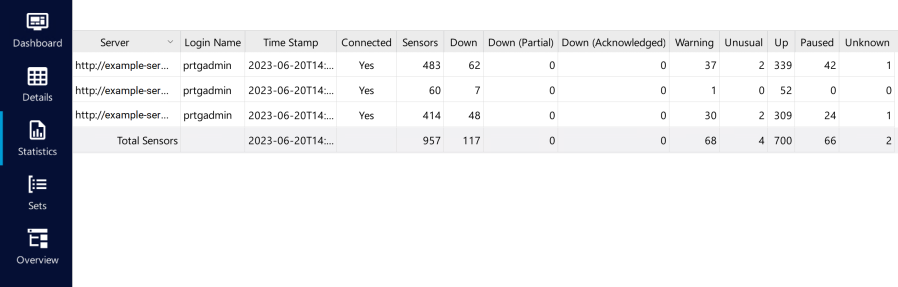
MultiBoard statistics view
View, for example, the number of sensors that are in the Down, Down (Partial), Down (Acknowledged), Warning, Unusual, Up, Paused, or the Unknown status for each PRTG server and in total.
Click  to export the report in comma-separated values (CSV) format.
Click  above the table to see a list of all possible categories. You can show or hide categories in the table via the checkbox next to the category names. Sort the table by clicking the table headers.
 PRTG MANUAL
