
PRTG Manual: Quick tips
In the Quick Tips window, you see short tips on how to work with the PRTG app for desktop. The PRTG app for desktop displays new quick tips by default. You can show or hide new quick tips on startup via the checkbox next to Show New Quick Tips on Startup.
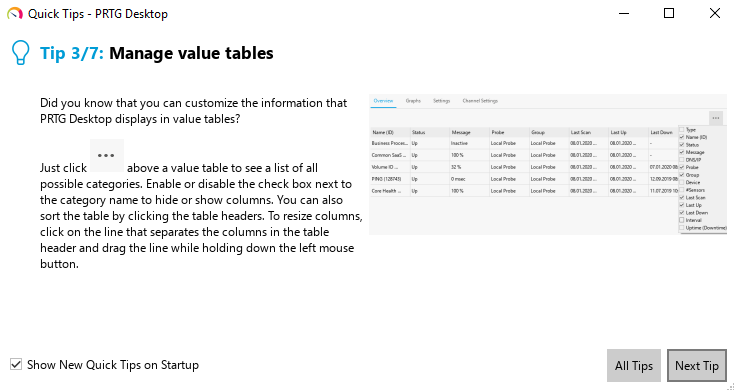
Quick tips for the PRTG app for desktop
Click Next Tip to show the next new quick tip. To display a list of all quick tips, click All Tips. Hover over an image to enlarge it.
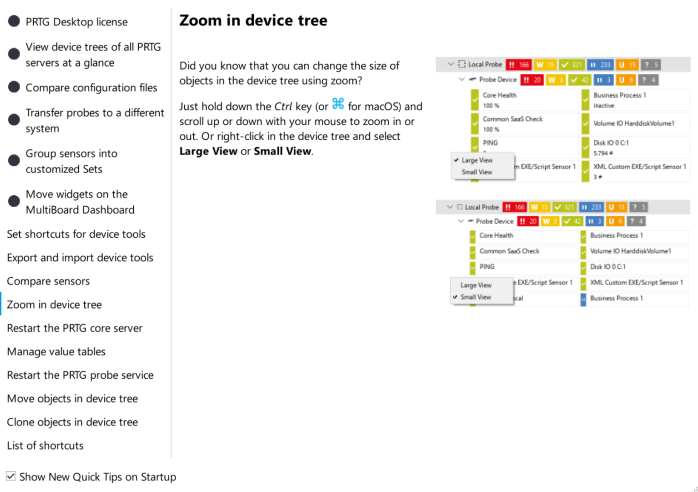
Show all quick tips
You can close the Quick Tips window at any time. To open the window again, select Help | Quick Tips from the main menu.
