
PRTG Manual: GroupLink HelpDesk
The GroupLink HelpDesk page provides a way to export discovery data from UVexplorer into a GroupLink everything HelpDesk instance.
The HelpDesk page provides the following navigation pane options:
The GroupLink eHD page provides information and links on buying an everything HelpDesk solution.
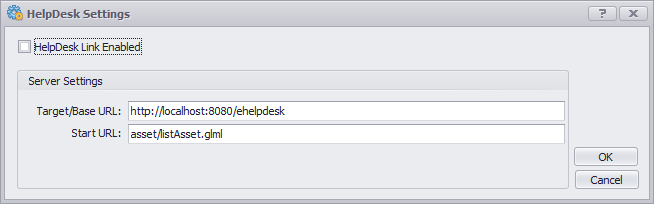
In-order to export information to an everything HelpDesk instance UVexplorer must be configured with the correct settings necessary to connect with the HelpDesk server. Selecting the 'Settings' item will open a dialog for configuring the base URL of the HelpDesk server and the start URL of the API for importing data into the HelpDesk server.
The export assets item will open the export dialog used to export the network asset information to everything HelpDesk.
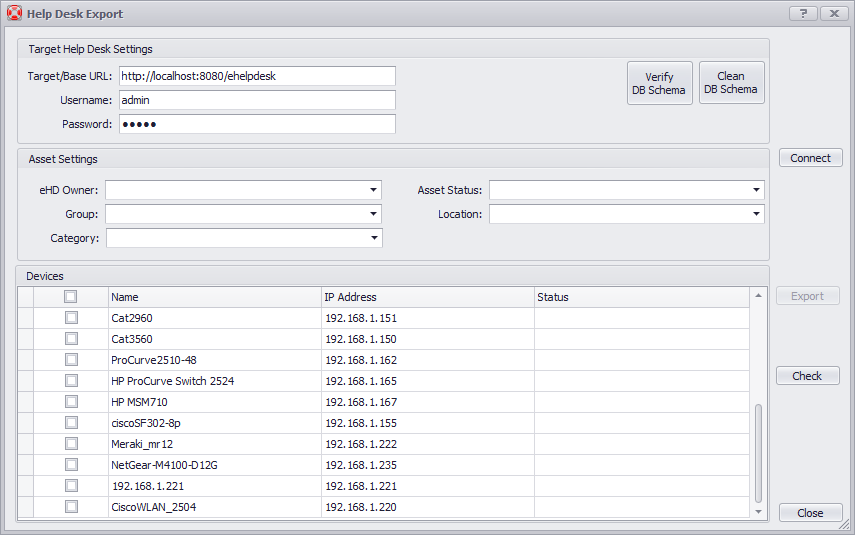
The export dialog contains the following settings:
The target HelpDesk settings contains the Base URL of the HelpDesk server instance and the help desk user credentials required to authenticate with the server.
The asset settings allow you to define the attributes associated with the exported settings when they are imported into the help desk instance. The available values for the assets are read from the HelpDesk instance after the connect button is pressed.
The devices list is a device picker to select which devices to export to the help desk server.
