
PRTG Manual: Device Selection Form
Many operations in UVexplorer require you to select one or more devices to be operated upon. The Device Selection form lets you select the devices that you want. This form displays a list of devices that can be selected. The row for each device displays the name, IP address, and description of the device. Each row also contains a check box that lets you select that device. The check box in the row headings can be used to select or de-select ALL devices in the list.
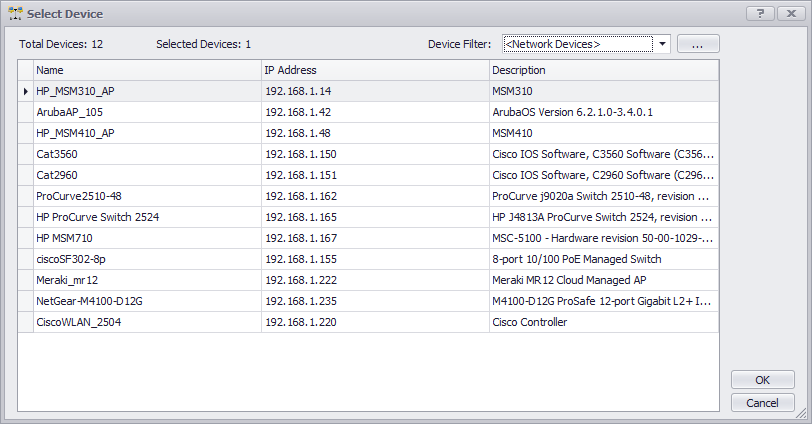
At the top of the form it displays the total number of devices in the list. Right next to that is displayed the number of devices that are currently selected.
You can also filter the devices in the list using device filters that are currently defined in the system. The top-right corner displays a drop-down list of all the filters you can choose from. When you select a filter from the list, the filter will be applied so that only devices that match the filter will appear in the list. If you want to modify your filter definitions, or even create a new filter, you can click the “…” button, which will display the Device Filters form. This form lets you add, configure, and delete custom device filters.
The OK button will be enabled only when you have selected the required number of devices. If you have selected too many or too few devices for the current operation, the OK button will not be enabled.
