
PRTG Manual: Schedules
On the Schedules tab, you can manage or create schedules. Use schedules to define when your data collection takes place.
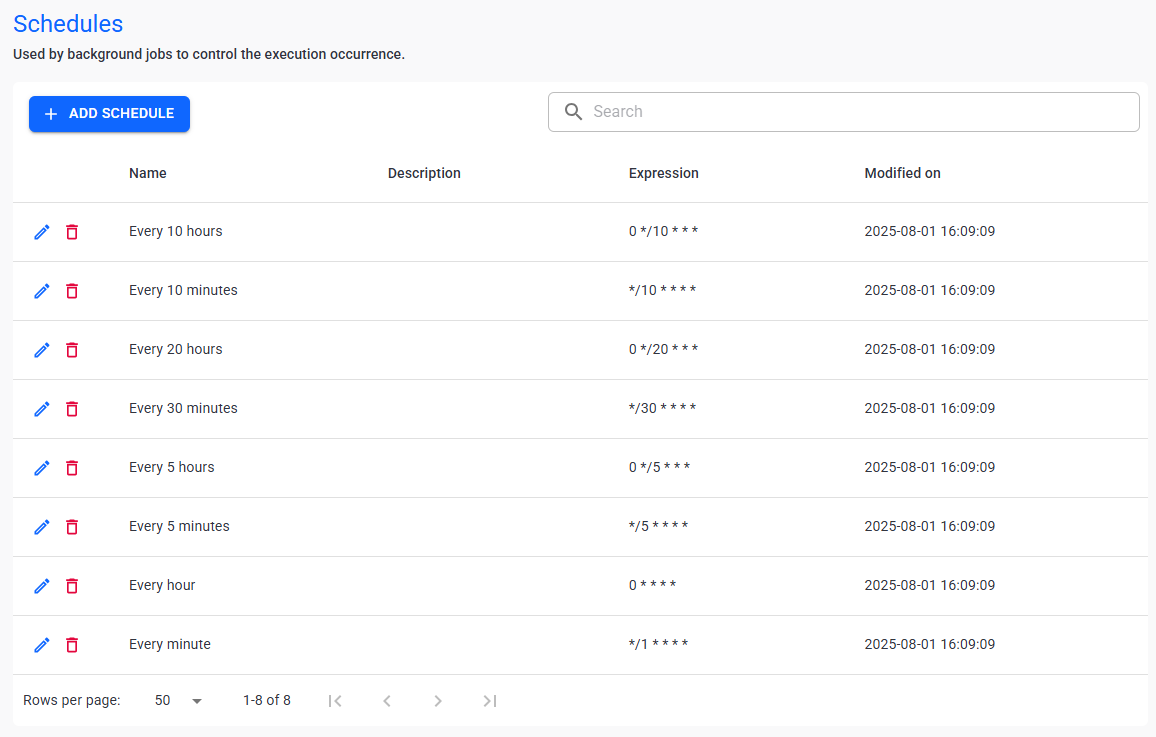
Schedules
In this section:
3.Click  .
.
4.Enter the following information:
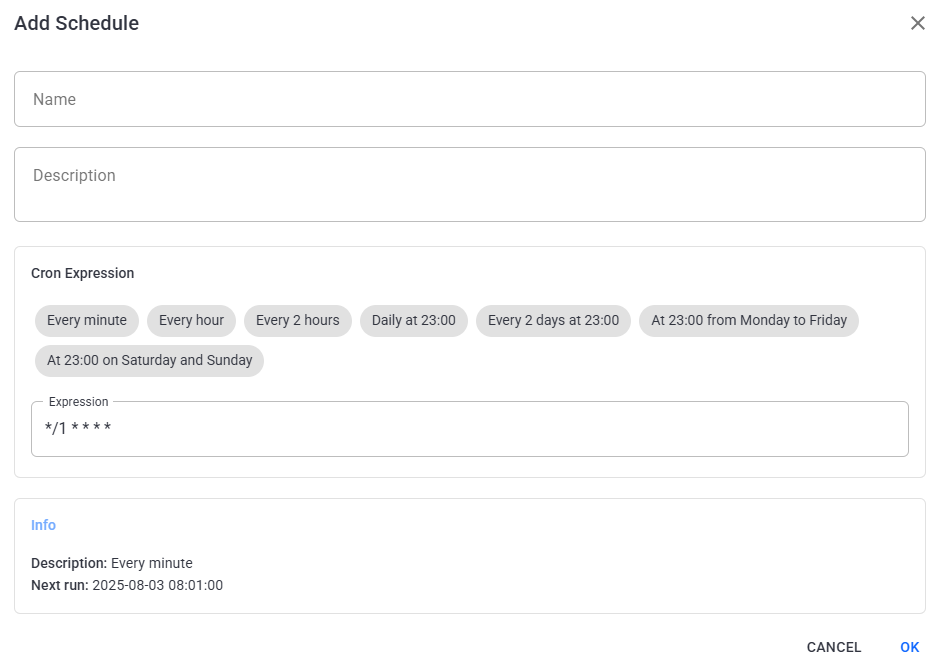
Create a schedule
Setting |
Description |
Name |
Enter the unique name for the schedule. We recommend that you use a name that indicates the configuration of the schedule. |
Description |
Enter a description of the schedule. This can be useful if you need to differentiate between schedules that are similar. |
Expression |
Either select a schedule from the available options or enter a custom cron expression. |
Info |
A summary of the schedule you configured. This section also displays when the next data collection run starts for this schedule. |
5.Click Ok to save.
The following actions are available to manage your schedules:
Setting |
Description |
Search |
Use the search bar to filter for a specific schedule. |
Edit |
Edit the selected schedule. |
Delete filter |
Delete the selected schedule. |


