
PRTG Manual: Business Processes
On the Business Processes tab, you can manage or create business processes.
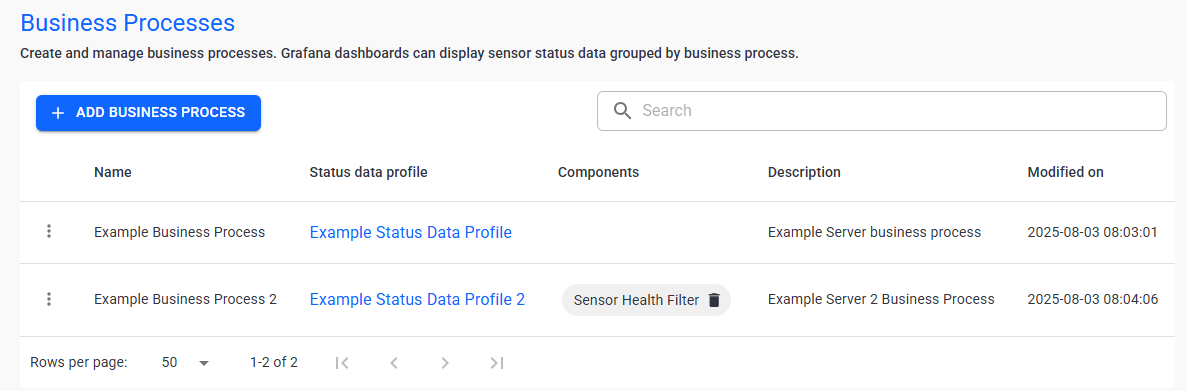
Business processes
In this section:
▪Manage existing business processes
3.Click  .
.
4.Enter the following information:
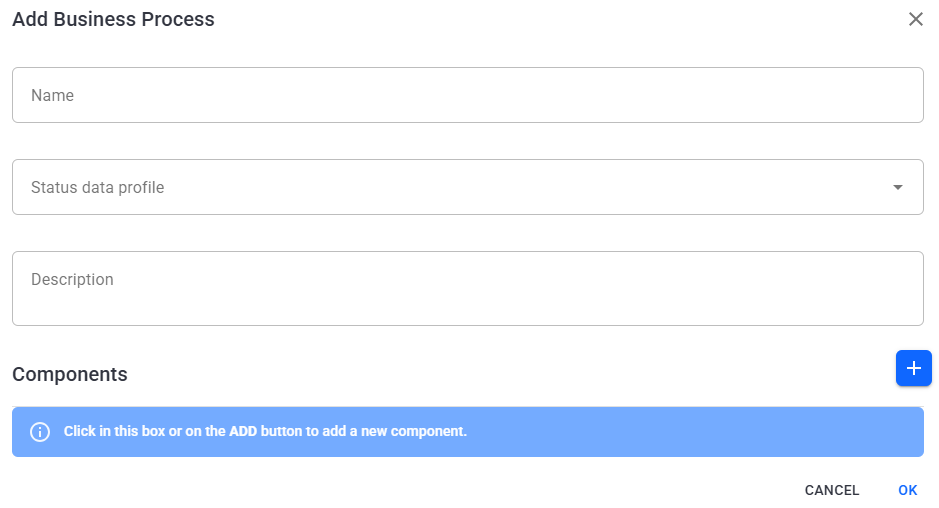
Create a business process
Setting |
Description |
Name |
Enter the unique name for the business process. |
Status data profile |
Select the status data profile that this business process includes. |
Description |
Enter a description of the business process. |
Components |
Optionally, add a component to the business process. In the component, you can select filters that this business process adheres to. |
5.Click Ok to save.
Manage existing business processes
The following actions are available to manage your business processes:
Setting |
Description |
Search |
Use the search bar to filter for a specific business process. |
| Edit |
Edit the selected business process. |
| Delete |
Delete the selected business process.
|


