
PRTG Manual: Settings
Use the settings to change all application settings that were initially configured in the installation. Click on the name of the user and select Settings. The settings menu contains five sections:
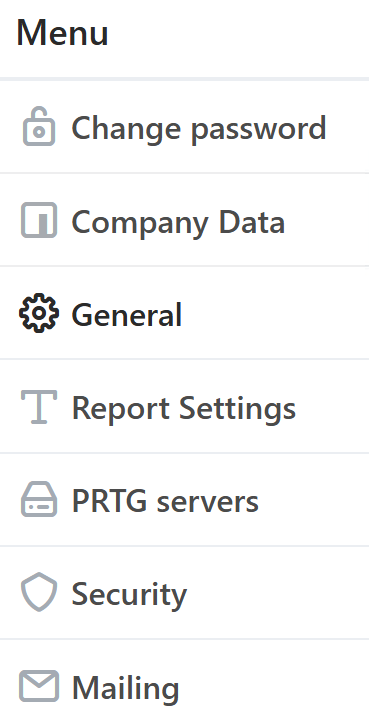
Settings menu
Setting |
Description |
Change password |
Change the password of the currently logged-in user. |
Company Data |
Add Company details, those information will appear on first page and footers of report. |
General |
Edit the attachment path, company logo, log path, and Report File Name. |
Report Settings |
Configure the reports format and file name. |
PRTG servers |
Add, remove, or edit the PRTG web servers or sync the PRTG structure. |
Security |
Add, remove, or edit the Users and User groups. For more information, see section Users. |
Mailing |
Modify the mailing settings from where emails are sent. |
