
PRTG Manual: Planned Downtimes
Use the Planned Downtimes page to configure the maintenance period of a device or sensor. During planned downtime, sensor values are not accounted to the SLA and service outage will not be considered a breach of SLA conditions.
Schedule planned downtime
1.Select  in the upper right corner of the page.
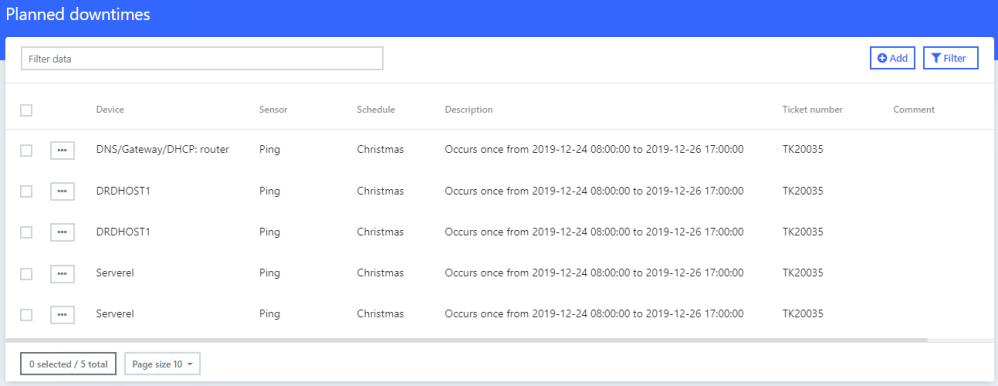
Planned downtimes
2.Configure the maintenance period of a device and click Submit.
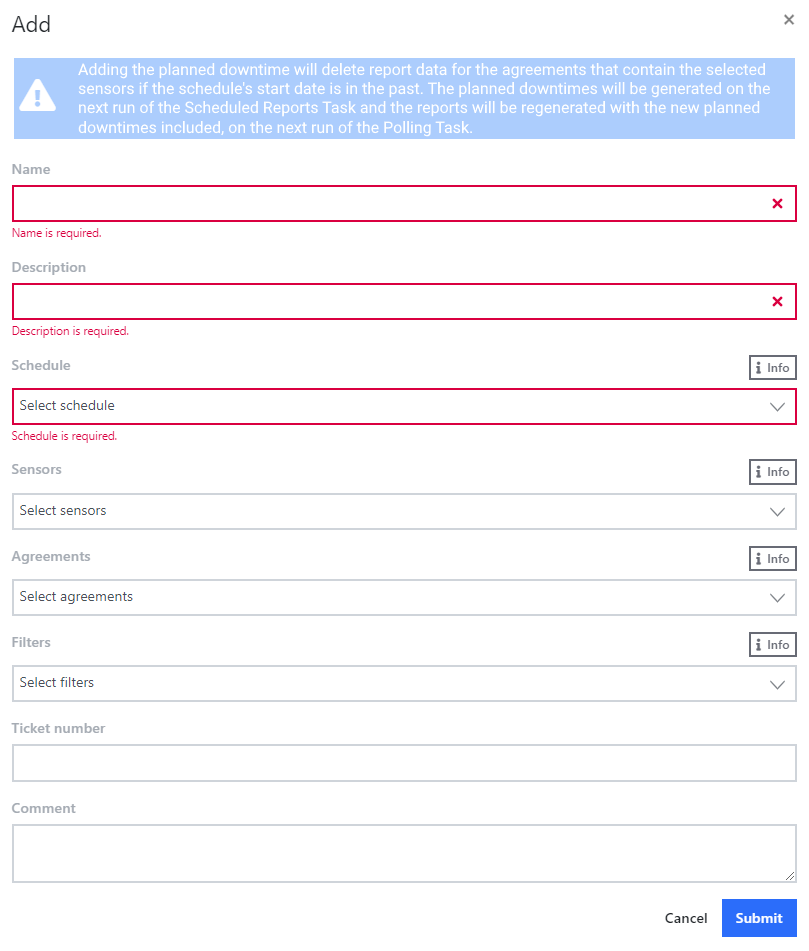
Add planned downtime
 You can select sensors that will be affected by the planned downtime in three ways: Individually under Sensors, in groups as part of an SLA under Agreements, or via filters under Filters.
Setting |
Description |
Name |
Enter a name to identify the planned downtime. |
Description |
Describe the planned outage details. |
Schedule |
Select a schedule. |
Sensors |
Optionally, individually select sensors that are affected by the downtime. |
Agreements |
Optionally, select affected Service Level Agreements. |
Filters |
Optionally, use filters to select sensors that are affected by the downtime. |
Ticket Number |
Optionally, provide a ticket number associated with the planned downtime. |
Comment |
Optionally, enter a comment about the planned downtime. |
