
PRTG Manual: General layout
Dashboard
The Dashboard is the default home page when you open PRTG SLA Reporter. At the top of the page you can find a brief summary of your PRTG SLA Reporter license and the number of service level agreements (SLA) and sensor breaches. The rest of the page displays multiple graphs showing the number of SLA and sensor breaches, as well as the number of outages per month and per day.
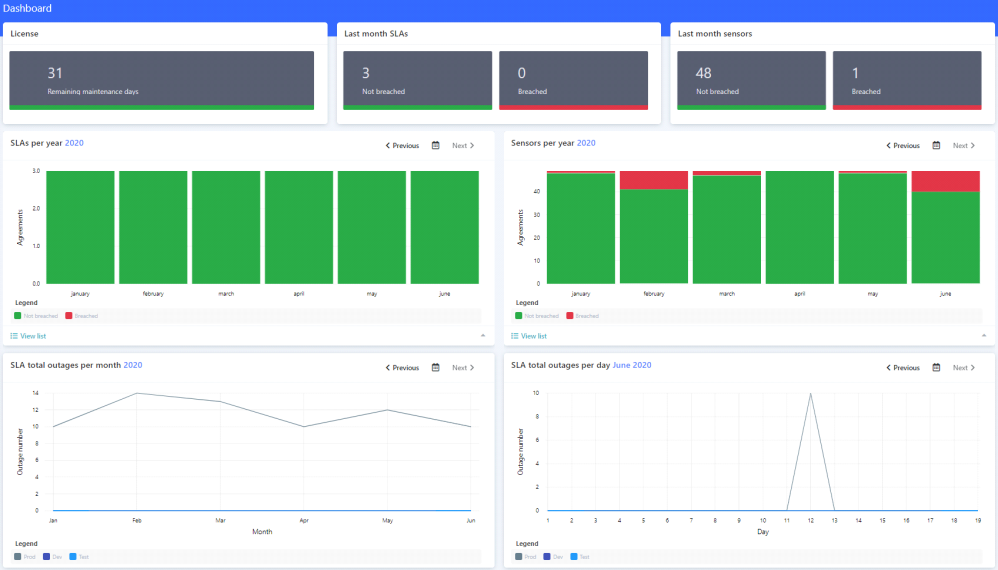
PRTG SLA Reporter dashboard
From this page, you can quickly navigate to the SLA report of an individual month by clicking inside the graph on the specific report.
You can view the Breached SLAs and Breached sensors data in chart view (the default view) or in list view by selecting the View list option at the bottom of the bar graphs.
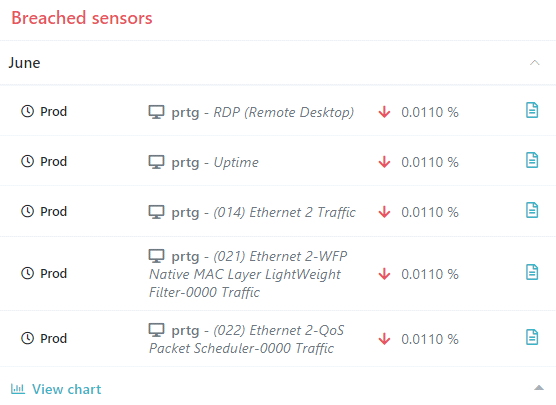
Dashboard list view
Navigation items
On the home page, you can access the main features of PRTG SLA Reporter from the navigation menu on the left side of the screen. Collapse or reopen the navigation menu with the  button. To return to the Dashboard from other pages, click PRTG SLA Reporter in the top left corner of the screen.
To access the system settings (Settings) or the license information (About) page, or to log out of the account, click the name of the user that is displayed in the top right corner of the screen.
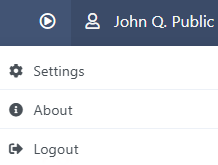
User panel
