
PRTG Manual: Menu tabs
General features on all pages
The sort feature is available on all pages. Click the column header of the column you want to sort by. Click the same column header again to reverse the sort order.
All pages offer two ways to filter:
1.Quick filter: Allows real time filtering by specifying any input that will be searched on all available columns from the current page. If any of the columns contain the value from the input, the whole row will be shown in the result.
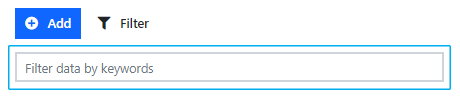
Quick filter
2.Advanced filter: Click Filter in the footer to open the advanced filter feature.

Advanced filter button
