
PRTG Manual: PRTG device templates
Once a Group has been created, you can generate a PRTG device template in XML format, which can be used in PRTG. PRTG device templates are stored as .odt files in the PRTG program directory (default C:\Program Files (x86)\PRTG Network Monitor\devicetemplates).
 For more information about PRTG device templates, see the PRTG Manual: Create Device Templates.
In the Queries group view, click  next to the query name you want to use and select Generate PRTG Device Template.
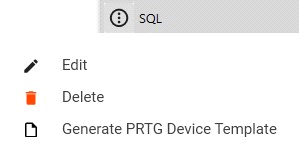
Generate PRTG device template
If you are using PRTG Database Observer on the same system as the PRTG core server, PRTG Database Observer will automatically save the generated device templates to the proper directory. The device templates can be used immediately in PRTG.
If you are using PRTG Datavase Observer on a different system, you must select the location to export the device template to. You must move the template manually into the corresponding folder on the PRTG core server.
As soon as a PRTG device template is on the PRTG core server, it can be applied using PRTG. This is done via the Auto-Discovery | Run Auto-Discovery with Template option from the device context menu.
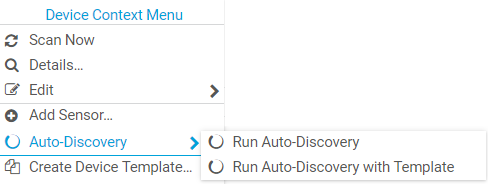
PRTG device menu
Select your custom template and click OK. This will start the auto-discovery process and create the appropriate sensors.
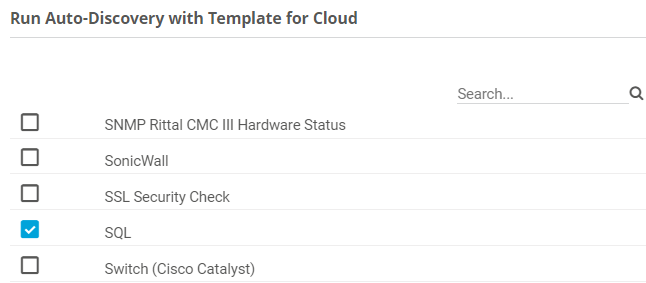
Run auto-discovery
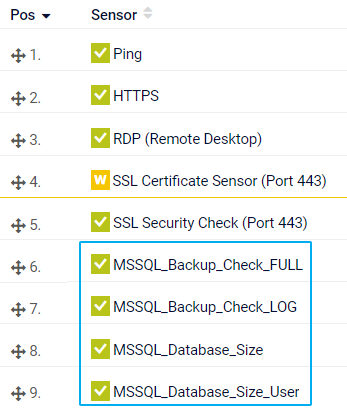
Custom sensors
