Profiles | Paessler PRTG Database Observer

PRTG Manual: Profiles

In the Profiles section, you can view and manage all your saved profiles. A profile represents your database server or instance.
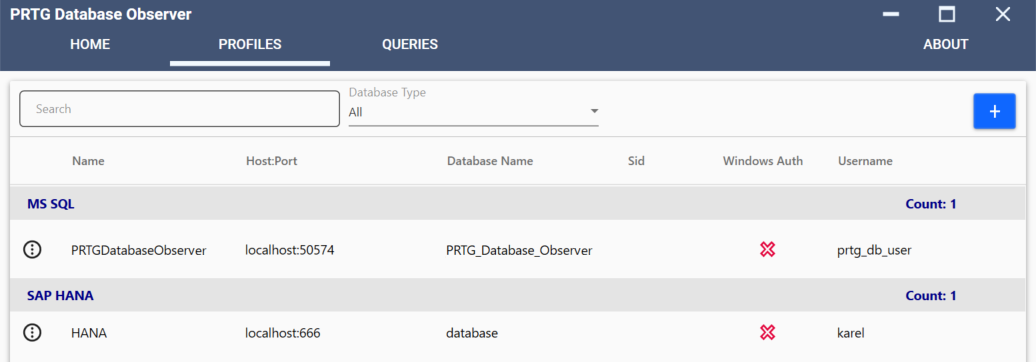
Profiles tab

Profiles tab

Action

Description

Search

Search for a profile via the Name, Host, or Database Name.

Add b_add_profile_zoom50

Add a new profile.

b_about_menu_zoom70 | Clone

Clone a profile. This option is also available if you right-click on the profile you want to manage.

i_round_blueYou are given the option to change the settings of the new profile before the new profile is added to your profile list.

i_round_blueThis option is also available if you right-click on the profile you want to manage.

b_about_menu_zoom70 | Edit

Edit a profile.

i_round_blueThis option is also available if you right-click on the profile you want to manage.

b_about_menu_zoom70 | Delete

Delete a profile.

i_round_blueThis option is also available if you right-click on the profile you want to manage.